
The QR Blue solution
One central database, one unique QR per vehicle, three interfaces: the authority's back office, the residents' portal and the officers' enforcement app.
Key concepts
A unique QR, without the plate
The QR does not contain the registration number: the link between plate and QR is kept on the central server.
Permit types and zones
Specific rules for each type of permit holder (resident, professional, city staff, shopkeeper, exhibitor, health worker…) and for each zone. One badge can cover several zones.
Enforcement
A web app dedicated to officers queries the central database. Nothing to install.
Self-service
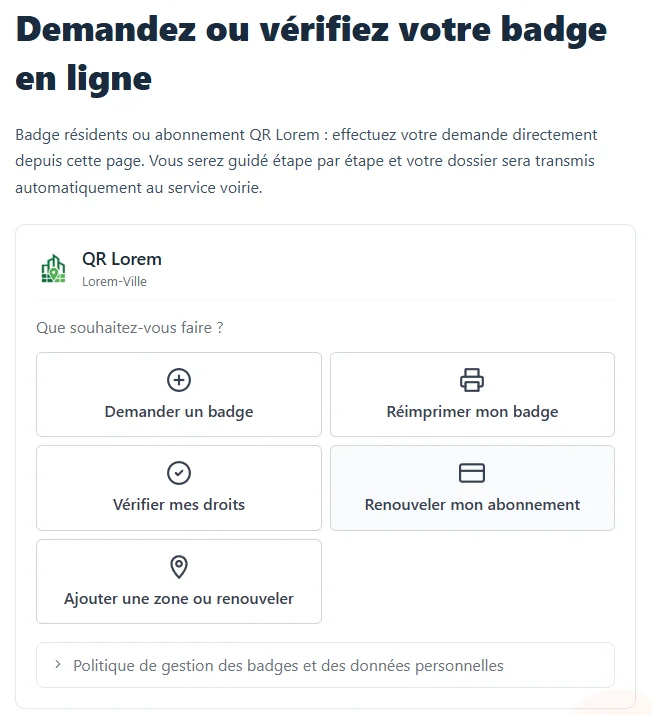
Residents apply for their badge, check their rights and reprint their QR from the authority's portal.
No reprinting
An extension or a change of zone never requires a new badge.
Request manager
New badge, renewal, added zone: one integrated workflow, no re-keying, tracked in real time.
The resident's journey
Available 24/7 from the authority's website, with no account: every step is secured by a code sent by e-mail.
They apply
Plate, permit type, requested zones and supporting documents, from the portal or at the counter.
They receive their badge
As soon as a decision is made, an e-mail informs them; if approved, the QR badge is attached, ready to print.
They display it
The folded badge goes behind the windscreen, with the QR visible from outside.
They get a reminder
A reminder e-mail arrives before expiry, at the time chosen by the authority.
They extend online
Renewal, added zone and, if applicable, payment: no trip, no reprint.
The enforcement officer's journey
Fast on-street checks, with nothing to install and in real time.
Open the app
Log in to the enforcement web app, reserved for authorised officers.
Scan
The vehicle's QR, or the plate typed in or photographed.
The app queries the database
In real time, for the zone the officer is checking.
Read the result
The status appears immediately, with the expiry date and the permit type.
- ValidPermit in force
- ExpiredPermit ended
- Not foundVehicle not registered
Scan a QR code
Built-in request management
From receipt to decision, with no re-keying and in line with the GDPR.
Receipt
Online requests land in a queue, with a real-time counter.
Documents
The officer checks the supporting documents online.
Decision
Approval or reasoned refusal, in one click.
Automatic sending
The decision goes out by e-mail, with the QR badge if approved.
GDPR purge
Supporting documents are deleted as soon as the decision is made, whatever it is.
100% online processing, traced and automated. Supporting documents are never kept.
Roles and teams
Each staff member has only the rights they need, within teams specific to the authority.
Administrator
Full configuration: accounts and teams, payment, connectors, custom domain.
Manager
Runs the service day to day: zones, types, streets, badges, requests, statistics.
Front-desk officer
At the counter: issuing badges and processing online requests.
Enforcement officer
In the street: scanning badges and short-stay sessions.
Resident
No account: self-service portal and short-stay parking, secured by an e-mail code.
Teams
Municipal police, highways, front desk…: configurable roles and teams.
A simple architecture
The QR on the windscreen only contains an identifier. The enforcement app queries the QR Blue servers, hosted in France and the European Union, which answer instantly. The back office, the residents' portal and the optional modules all rely on the same database.
Take back control of your parking zones
A 30-minute demo, on your own case, with no commitment.