
Deployment and support
A project that's quick to set up, run with your teams, in your colours and integrated into your website.
Deployment steps
Needs analysis
Your zones, your permit types, your municipal by-law, your volumes and your existing tools.
Configuration
Zones, badge types, the municipality's streets, supporting documents, reminders, legal notices and your DPO's contact.
Data recovery
If you have an existing file, we take it over: formatting, cleaning, de-duplicating.
Website integration
Self-service portal embedded in your website, custom domain and badges in your colours.
Training
Two one-hour video-conference sessions for your front-desk staff, managers and enforcement officers.
Launch and follow-up
Opening of online applications, activity monitoring and support after go-live.
How long does deployment take?
Usually one to two months, most of it being the municipality's own preparation: by-law, signage, data, informing residents. A shared roadmap tracks every required item and every party. Once everything has been received, QR Blue sets the service up in fifteen days.
The deployment roadmap
Every deployment is tracked in a sheet shared with the municipality: one action, one owner, one status. Here is what it covers.
Scoping and steering
- Project lead appointed on the municipality's side
- Service name chosen (for example "QR Car" or "My Blue Zone")
- Target launch date
- Municipal by-law finalised
Visual identity and communication
- Logo and official colours provided
- Contact identified in the communication department
Business configuration
- Zones, rules per zone and permit types, based on the by-law
- Form fields and supporting documents required for each type
- Sender name and address of e-mails sent to residents
- Personal data notices
- Services open in the portal, badge template, short-stay and payment where relevant
Technical configuration
- File of current permits, for data recovery
- Custom domain (DNS record)
- Sender address in the municipality's name, if wished
- Portal embedded in the parking page of the website
Users and access
- List of staff and their role: administrator, manager, front desk, enforcement
- Account creation
Training and launch
- Staff training
- Acceptance testing before opening
- Badge holders ordered if needed
- Go-live and information for residents
Your service, under your name
Equipped municipalities present the service under their own name: "QR Car" in Bois-Colombes, "QR Bleu" in Paray-Vieille-Poste, "QR-Rungis", "QR MSA" in Mont-Saint-Aignan.
What the authority prepares
- The municipal by-law regulating the zones concerned
- The corresponding regulatory signage
- Information for residents, with the document handed to them
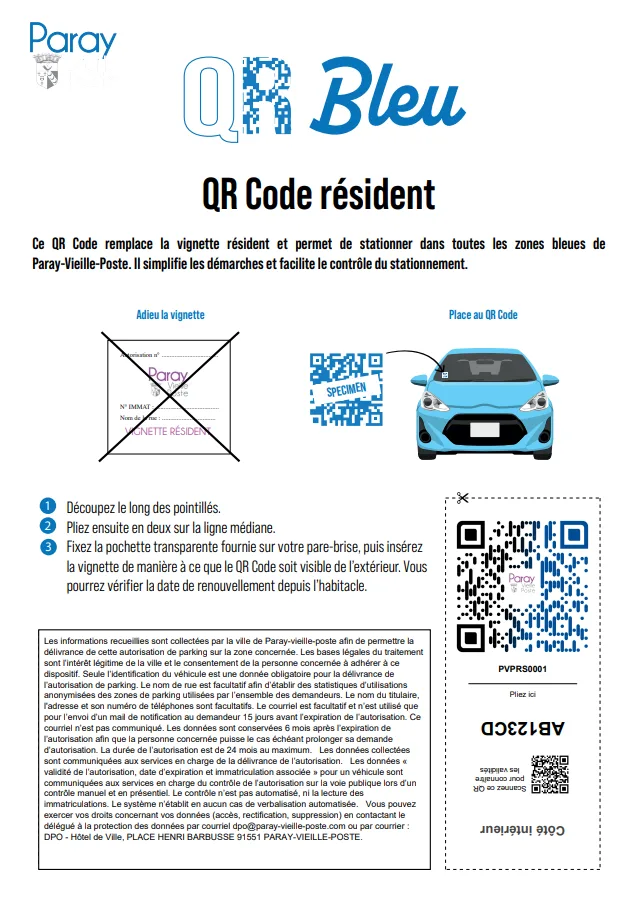
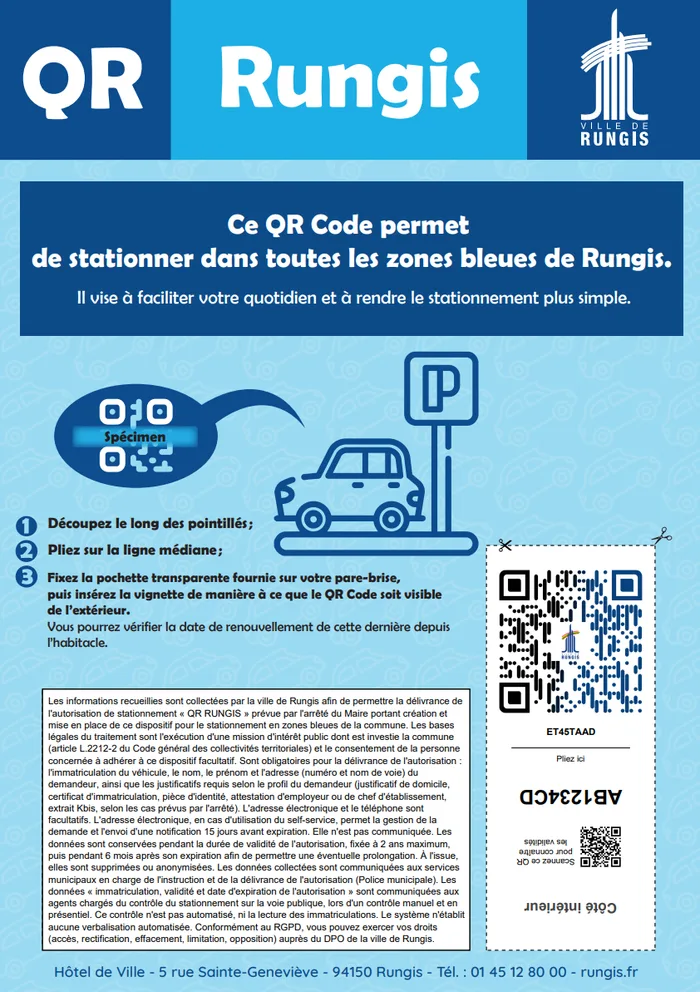
The document given to residents
With their badge, residents receive a document in the city's colours explaining how to cut out, fold and place their sticker.
See pricing<!-- Portail self-service -->
<div data-qrblue-selfservice></div>
<script src="https://api7.qrblue.fr/v7/selfservice/selfservice.js"></script>
# Liste blanche d'une zone (CSV, JSON ou XML)
GET /connect/whitelist/zone/{zoneId}/csvTake back control of your parking zones
A 30-minute demo, on your own case, with no commitment.